Auto Attendant Article
Phone Greeting Audio Format: Record, Convert and Test
A 2026 guide to phone greeting audio formats: compare provider WAV and MP3 requirements, brief a voice artist, adjust volume, and approve the export on a real telephone call.
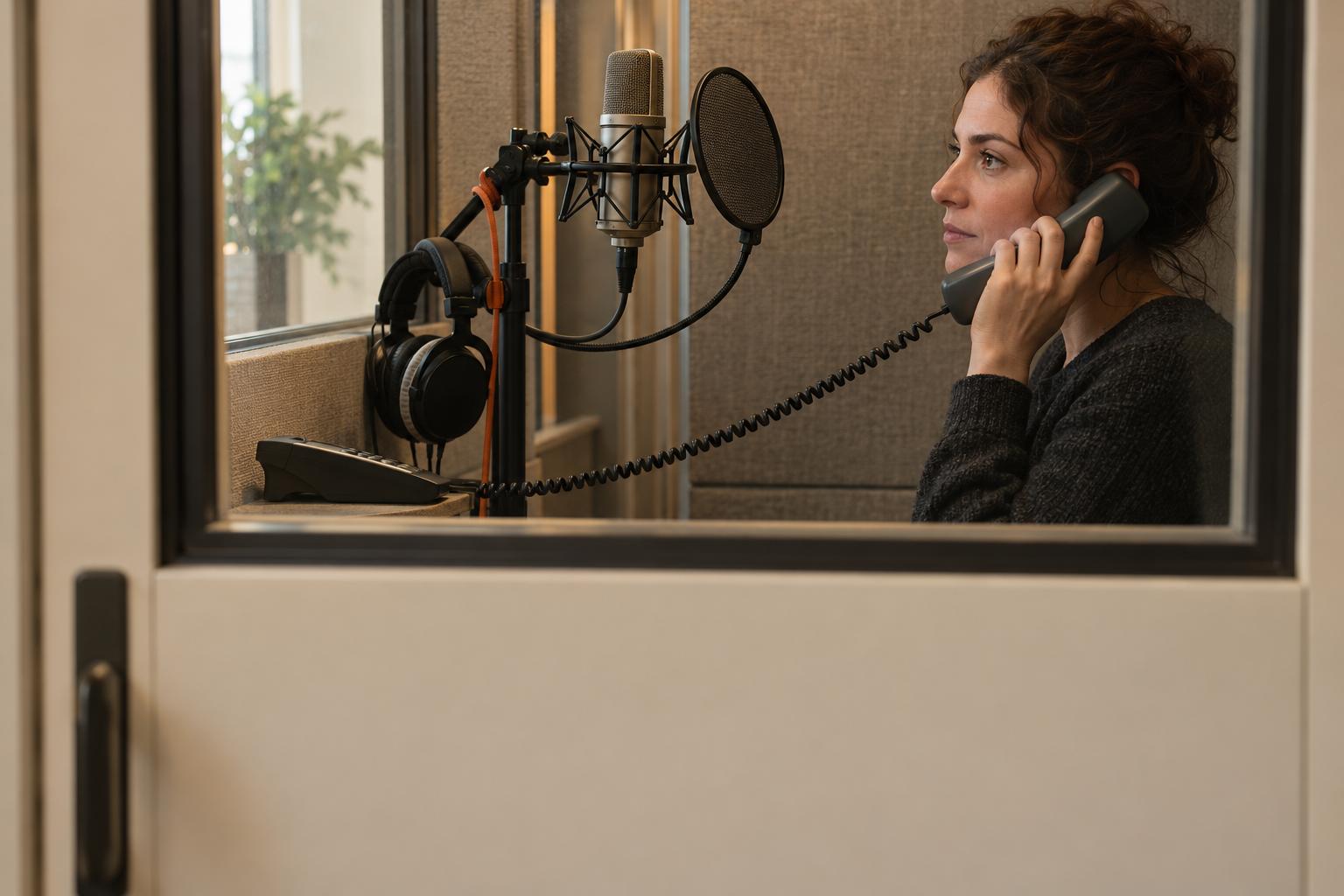
Summary
- 01Choose among text-to-speech, provider recording, and file upload using the options actually available in the selected service, then approve the spoken result.
- 02WAV is a container, not a complete specification. A file handoff must identify the destination, encoding, sample rate, channels, applicable bit depth, and upload limits.
- 03Keep requirements tied to the exact product and greeting screen. Preserve missing fields, ambiguous units, and conflicting published limits until clarified.
- 04Retain the clean original, approved script, pronunciation decisions, destination export, and named approver so future revisions remain manageable.
- 05Approve the original, reopened export, provider preview, and external call in the intended operating state. Retain the previous greeting and configuration for rollback.
Inside this article
- 01Executive Summary
- 02Introduction and Background
- 03Choose Text, Provider Recording, or an Uploaded File
- 04What an Audio Specification Must Actually Say
- 05Provider Requirements: Product, Screen, and Date Matter
- 06Record and Hand Off an Asset Ready for Approval
- 07Convert, Adjust Volume, and Approve Telephone Playback
- 08Data Analysis and Evidence
- 09Implications and Future Directions
- 10Frequently Asked Questions (FAQs)
- 11Conclusion
Executive Summary
The best phone greeting audio format is the format accepted by the exact greeting screen in the chosen phone service. WAV is a container, not a complete encoding specification: the Library of Congress describes WAVE as a wrapper that can hold an audio bitstream and other data. A useful delivery request therefore names the container, encoding, sample rate, channel count, applicable bit depth, and upload limits. [1] Provider differences are substantive: SpectrumVoIP's documented Stratus voicemail upload uses 16-bit PCM, 8 kHz, mono WAV, while Ting's explicitly limited-release Voice guide describes u-law, 8 kHz WAV with a mono conversion option. Neither example establishes a universal auto-attendant setting. [2] [3]
Choose the simplest supported input method before commissioning a file. Text-to-speech (TTS) avoids an external audio export; provider recording avoids a separate upload workflow; a supplied file gives a voice artist or office manager control over the deliverable. Zoom Phone documents computer-microphone recording and uploaded audio, while Vonage documents recording through a call to a phone number or extension. These are product-specific options, not features assumed for every service. [4] [5] Keep a clean original and generate the provider export from it; Twilio explicitly recommends archiving source recordings. [6]
Requirements in this report were checked on October 31, 2026. Microsoft Teams documents a 5 MB audio-content ceiling and says new WMA support ends November 1, 2026, while existing WMA prompts continue working. New work should use a supported WAV or MP3 workflow instead. [7] Webex documentation needs particular care: its announcement repository lists 5 MB for Auto Attendant audio, whereas its direct greeting procedure lists 2MB, approximately 4 minutes. Confirm the actual destination rather than selecting the larger allowance. [8] [9]
Approval should compare the original recording, exported file, and actual external telephone call. Telephone playback is a separate stage because network audio may be transcoded. [10] Check the intended business-hours or after-hours state, clear first and last words, pronunciation, background noise, and comfortable relative volume. Save the previous greeting and configuration before replacement: Avaya's upload instructions explicitly say an upload overrides the previous recording or TTS setting. [11] This report supplies an editable handoff sheet and playback checklist; it reports no conversion or call-quality benchmark.
Introduction and Background
An owner preparing a greeting has a narrower task than selecting a phone system: make the approved words play clearly in the correct place. The first question is whether an audio file is needed at all. Teams' auto-attendant setup offers both prerecorded-file upload and typed greeting text, while Zendesk documents recording a greeting directly in its interface. The available controls should determine the workflow. [12] [13]
If the chosen workflow requires a file, asking for “a phone-quality WAV” leaves important details unresolved. Audio software exposes format and encoding as separate settings. Audacity's export dialog explicitly includes a WAV encoding choice, and Adobe describes encoding as the file's data-storage scheme. A filename ending in .wav therefore does not tell a supplier everything needed to prepare an acceptable upload. [14] [15]
This guide addresses owners and office managers who already have a service and need to record, commission, convert, or approve a greeting. It treats auto-attendant announcements, voicemail greetings, and related audio libraries as distinct destinations. A specification borrowed from a voicemail page is labeled as such rather than silently promoted into an auto-attendant requirement. That distinction matters even within one vendor: Ooma publishes different limits for its Virtual Receptionist and Ring Group greeting destinations. [16] [17]
The report is published by autoattendant.io, a direct provider in the auto-attendant category. Its publisher context appears in the main matrix, separately from independently sourced upload requirements. This is a provider-neutral preparation guide, not a recommendation to change services.
The practical deliverable is a small approval package: approved wording, a retained original, an exact destination export when required, and a record of the real-call check. The check should establish what callers actually hear. A local preview alone does not reproduce all telephone playback processing, as Twilio's documentation about transcoding makes clear. [10]
Choose Text, Provider Recording, or an Uploaded File
Typed text-to-speech
Use provider TTS when it is available and the preview meets the business's needs. Enter the approved text, choose the supported language and voice, and listen before saving. Teams permits typed greeting messages of up to 1,000 characters; Ooma's Virtual Receptionist guide instead describes a maximum of 150 words. These are different measurement units and product limits, not interchangeable script budgets. [7] [16]
For an owner, the approval task is the spoken result: names, abbreviations, emphasis, pauses, and menu wording. Keep a copy of the exact approved text and the chosen voice settings. If pronunciation is unsatisfactory, revise the text or use another supported input method. Do not assume that changing the audio-file extension is relevant to a greeting generated inside the provider.
Recording through the provider
Use provider recording when the interface or telephone recorder produces an acceptable take. Vonage's documented workflow asks for a phone number or extension and calls it to record the greeting. Webex describes recording by phone through a configured location voice portal. Follow the procedure for the actual account rather than a generic telephone keypad sequence. [5] [9]
Recording methods also differ in where capture occurs. Zoom documents recording through the computer microphone, while Zendesk offers direct interface recording. Neither requires the owner to commission a separately encoded upload just to use that documented recorder. [4] [13]
Recommended capture checks are straightforward:
- Prepare the words: use the approved version and mark difficult pronunciations.
- Control the room: stop avoidable noise and choose a consistent recording position.
- Listen to a short take: check voice level and unwanted sounds before recording the full greeting.
- Keep the best take identifiable: label its destination and approval state.
- Preview before activation: approve the recorded words and complete ending.
Shure explains that microphone choice cannot improve the acoustic environment itself, and that noise can be addressed at its source or by moving the microphone closer to the talker. Room preparation is therefore a useful first step before buying equipment. [18]
Supplying a prerecorded asset
Use an uploaded file when the destination supports it and external production is useful. A supplied file can come from an office recording session or a commissioned voice artist. Grasshopper's greeting page describes recording on a computer and uploading the resulting file; this establishes that workflow without supplying a universal export profile. [19]
For a voice-only recording, mono is a sensible production choice when the provider requires or accepts it. Adobe specifically identifies mono as a useful option for voice-only recordings. Still, the final delivery settings should come from the destination documentation, not from that general production recommendation. [15]
What an Audio Specification Must Actually Say
A complete specification names several independent properties. The Library of Congress describes WAVE as a wrapper, and Audacity exposes the export encoding separately. That is why renaming an MP3 file with a .wav suffix cannot serve as an encoding instruction: the supplier must produce the requested audio representation, not merely change its label. [1] [14]
Ask the provider or installer to complete these fields:
- Destination: the precise menu, voicemail box, announcement library, or other greeting control.
- Container or file type: for example, WAV or MP3, exactly as accepted by that screen.
- Encoding or codec: for example, linear pulse-code modulation (PCM) or u-law, when specified.
- Sample rate: the number of audio samples taken per second.
- Channels: mono or stereo, according to the requirement.
- Bit depth: the number of bits used for a sample, where the export profile specifies it.
- Limits: maximum file size and any separate duration limit.
- Applicability: product, release or interface, source URL, and date checked.
The Canadian Heritage Information Network explains sample rate and bit depth as separate properties. Its discussion also distinguishes file formats from codecs. Higher values should not be substituted for a required profile simply because they appear more capable: an upload requirement is a compatibility instruction. [20]
Encoding deserves its own line in the handoff. “PCM WAV” and “u-law WAV” are distinct requests even when both use mono audio at the same sample rate. The Stratus voicemail example and Ting's scoped Voice example demonstrate that difference in operational documentation. [2] [3]
Size and duration deserve separate lines too. Zoom's administrative asset library accepts MP3 or WAV files smaller than 10MB, without specifying a duration ceiling in the opened page. Avaya's release-specific prompt page specifies 10 minutes, without giving a file-size ceiling. An undocumented field should stay “not stated in the cited page,” rather than being filled with a familiar value from another system. [4] [11]
Avoid adding a universal target for loudness, peak level, or silence padding to this specification. Request any destination-specific rule from the provider. In the absence of one, use the listening checklist below and record the approver's observation. The goal is a repeatable acceptance decision, not a claim that a particular codec guarantees intelligibility.
- Basic User Guide voicemail example; build not stated.
- WAV with linear PCM encoding, 16-bit depth, 8 kHz, and mono audio.
- Size and duration limits are not stated in the cited page.
- Applies to selected limited-release participants; build not stated.
- WAV with u-law encoding and 8 kHz; conversion procedure uses mono. Bit depth is not stated.
- File-size ceiling is 5,000 kB; duration is not stated.
Neither example establishes a universal auto-attendant setting. Confirm the requirements of the actual destination.
The original helps locate a capture issue; the export helps locate a preparation issue; the call checks the deployed experience.
Provider Requirements: Product, Screen, and Date Matter
Table 1 records selected requirements from opened documentation. All entries were checked on October 31, 2026. Document dates appear only where the fetched source stated them; “not stated” means the particular cited page did not provide that field. It does not mean the service has no limit.
| Provider, product, and documented scope | Accepted method in this evidence | Documented upload profile | Size or duration ceiling | Primary source and document date |
|---|---|---|---|---|
| SpectrumVoIP Stratus, Basic User Guide, voicemail greeting example; build not stated | Upload; TTS also described | WAV; 16-bit PCM; 8 kHz; mono | Size and duration not stated | July 27, 2026. [2] |
| Ting Voice, selected limited-release participants; build not stated | Upload for described greeting uses | WAV; u-law; 8 kHz; mono in conversion procedure; bit depth not stated | 5,000 kB; duration not stated | Date not stated. Limited-release scope applies. [3] |
| Microsoft Teams, auto attendants and call queues, supported-configurations reference | File upload; typed greeting supported | WAV: uncompressed linear PCM, 8/16/32-bit, mono or stereo; MP3 also accepted; sample rate not stated | Audio content no larger than 5 MB | October 29, 2026; WMA transition explained below. [7] |
| Zoom Phone, administrative asset library; build not stated | Upload, microphone recording, TTS | MP3 or WAV; codec, sample rate, channels, bit depth not stated | Smaller than 10MB; duration not stated | Date not stated. [4] |
| Webex Calling, announcement repository | Upload; recording and TTS also documented | WAV; 8 or 16 kHz; 8 or 16-bit mono; u-law, A-law, or PCM | Repository table: 5 MB for Auto Attendant audio | October 16, 2026. [8] |
| Webex Calling, direct auto-attendant greeting procedure | Upload or phone recording | Confirm the requirements of this destination; do not infer repository allowance | 2MB, approximately 4 minutes | Date not stated; differs from repository table. [9] |
| Avaya IP Office Web Manager 12.3, prerecorded auto-attendant prompts | Upload through Web Manager | WAV; mono PCM; 16-bit; 8, 16, or 22KHz | 10 minutes; size not stated | August 30, 2026. [11] |
| Zendesk Voice, greeting format and setup guides | Upload or direct interface recording | Recommended: G711 µ-LAW or MP3; conversion example: WAV, mono, 8000 Hz, U-Law | Setup guide: 10MB max; duration not stated | Dates not stated in fetched text. [21] [13] |
| Vonage Business Cloud, greeting/hold-audio guide | Upload, TTS, or phone recording as described | Page lists “Ulaw / Mono / 8000 hz / 8 bit” and “.wav or .mp3 format” | Literal wording: “6-8 mb file size”; exact ceiling requires confirmation | November 7, 2025. [5] |
| autoattendant.io, publisher context | Typed TTS workflow | No upload profile asserted or evaluated in this report | Not assessed | Publisher context only; excluded from independent source counts |
The matrix is a destination checklist, not a quality ranking. The Stratus row is explicitly a voicemail example. Ting's row applies to a limited-release feature, not a generally available plan recommendation. [3] For Webex, the opened sources do not establish whether the differing limits reflect separate interfaces or inconsistent documentation. Preserve both and ask support which applies to the actual upload control. [9]
A publication-date transition worth checking
Teams' reference states that WMA files will no longer be supported starting November 1, 2026, while existing WMA prompts continue working. This report's publication date falls immediately before that change. A new delivery request should use the documented WAV or MP3 alternatives rather than create a fresh WMA dependency. [7]
The table deliberately preserves ambiguous units. Vonage's “6-8 mb file size” and Ooma's Virtual Receptionist “5mb” wording should not silently become exact megabyte ceilings. Ooma's separate Ring Group page explicitly says 10 MB. Ask for clarification when the unit or destination is unclear, and retain the answer with the handoff. [5] [16] [17]
Record and Hand Off an Asset Ready for Approval
A useful voice-artist brief should separate the clean original from the provider export. Twilio recommends retaining source recordings and avoiding successive conversions between lossy formats. Keep the original available for future revisions or a different destination instead of treating the uploaded file as the only surviving master. [6]
Begin with a short recording check. Use the intended room and microphone position, read representative names and menu wording, and listen before completing the session. If the recording clips, lower the capture level and record again; Audacity's recording guide explicitly recommends that response. Turning down the completed file is a different operation from capturing an unclipped take. [22]
Table 2 is an editable delivery sheet. Replace the bracketed entries; the example labels are organizational suggestions, not provider limits.
| Field | Entry to complete | Approval evidence |
|---|---|---|
| Destination | [Provider, product, release/interface, account, greeting screen] | [Documentation URL and checked date] |
| Operating state | [Open, closed, holiday, voicemail, or other exact state] | [Schedule and time zone reviewed] |
| Script ID | [Approved script filename and revision] | [Approver and approval date] |
| Pronunciation | [Names, abbreviations, phonetic notes, approved spoken examples] | [Pronunciation approval] |
| Voice-use permission | [Commissioned or authorized voice; permitted business use confirmed] | [Permission record or applicable agreement] |
| Clean original | [Original filename, location, recording format] | [Local playback approved] |
| Provider export | [Container, encoding, sample rate, channels, applicable bit depth] | [Export settings recorded] |
| Upload constraints | [Size with exact units; separate duration ceiling; unknown fields] | [Actual file properties compared] |
| Release filename | [Business-destination-state-revision.ext] | [Matches approved asset] |
| Playback approval | [Original, export, external call results] | [Tester, date, observations] |
| Rollback | [Previous audio/text and configuration location] | [Restoration owner] |
The sheet creates an approval boundary between the words, the recording, and the destination. A voice artist can satisfy the export request while the business separately confirms that the right greeting is active. That separation is useful because Stratus documents selecting the active greeting and saving the selection, beyond merely creating the asset. [2]
Recommended handoff rules:
- Approve wording first: avoid recording several contradictory script revisions.
- Identify pronunciation decisions: give the artist a single approved reference.
- Retain the original: store it separately from destination exports.
- Name exports by destination: prevent an old voicemail file from being mistaken for the main menu.
- Document permission: commission authorized material; do not reuse customer call recordings as greeting material.
- Keep rights review separate: use the organization's audio-rights checklist for detailed permission questions.
This guide's permission fields are production controls, not a legal analysis. They keep the recording task accountable without turning file-format selection into a separate rights tutorial.
Convert, Adjust Volume, and Approve Telephone Playback
Export from the retained source
For MP3-to-WAV conversion, open the source in an approved audio editor, choose audio export, and set every required field from the destination specification. In Audacity, exporting audio is separate from saving the editable project, and the export dialog includes format, channel, sample-rate, and WAV-encoding settings. A saved editing project is not the upload deliverable. [23] [14]
Use this preparation sequence:
- Duplicate the source: work on a copy and retain the original take.
- Review the recording: remove unwanted material only after checking the complete phrase.
- Set channels deliberately: listen to the mono result when mono is required.
- Enter the exact export profile: select the specified encoding as well as WAV.
- Export with a distinct filename: retain the source and destination association.
- Reopen the export: verify its playback, duration, file size, and technical properties.
Twilio recommends monitoring a stereo-to-mono conversion for phase artifacts. This is a reason to listen after downmixing, not an argument that every stereo recording will have a problem. [6] The Canadian Heritage Information Network likewise includes technical-metadata review, including format, codec, sample rate, and bit depth, in its quality-control guidance. [20]
A web converter is an optional workflow, subject to the organization's approval for the material. G711.org offers distinct telephony export profiles and advertises a 50MB source-file maximum. That is the utility's intake limit, not the phone provider's upload allowance. [24] No file was uploaded to that service for this report, and no claim is made about its retention practices. Use an approved offline workflow when external upload is unsuitable.
Adjust level after checking the source
For a quiet greeting, first decide whether the voice itself is quiet or whether it is buried in background sound. Audacity notes that amplifying a quiet recording also raises room noise. Re-recording in a better environment may therefore be the more useful production decision. [22]
Normalization adjusts level; it does not establish telephone-call quality. Audacity describes its Normalize effect as applying one gain change to place the loudest peak at the selected level. Do not treat that operation as a certificate that the greeting will be comfortable or clear over a call. [25] Use a provider-specific loudness instruction if one exists; otherwise approve by listening and avoid inventing a universal numeric target.
Compare the original, export, and call
Table 3 is a short playback record. The procedure is an editorial acceptance recommendation, not a measured benchmark. Telephone playback deserves its own entry because Twilio documents transcoding over the telephone network. [10]
| Stage | What to play and inspect | Observation and next action |
|---|---|---|
| Original | Entire approved take locally; first/last words, names, noise, obvious distortion | [Issue present here? Re-record or correct the source before export.] |
| Export | Reopened destination file; complete phrase, channels, properties, size and duration | [New issue after export? Compare profile and mono result with the source.] |
| Provider preview | Uploaded or generated asset using available playback controls | [Correct asset selected? Check stored preview and save/activation step.] |
| External call | Call the public number and reach the intended greeting in the intended state | [Expected words/state, observed level, first/last words, tester and date.] |
| Rollback decision | Compare the result with the acceptance record | [Approve release, correct the issue, or restore the retained prior configuration.] |
The original helps locate a capture issue; the export helps locate a preparation issue; the call checks the deployed experience. Avaya explicitly instructs administrators to test uploaded audio through playback controls. Treat that preview as an intermediate check and then complete the external-call recommendation. [11]
Common observations call for different checks:
- Upload rejected: compare actual file properties and the exact screen's size limit.
- Wrong greeting heard: check selected asset, saved state, public number, and destination.
- Only the call sounds different: investigate the deployed path rather than repeatedly re-exporting blindly.
- Missing opening or ending: compare all stages and check edits and silence boundaries.
- Noise or harsh peaks in the original: fix capture before attempting another export.
- Wrong open/closed message: inspect schedule, time zone, and the greeting attached to that state.
Ooma's Virtual Receptionist instructions explicitly distinguish Business Hours and After Hours/Holiday tabs. File preparation cannot replace choosing the correct state. [16] If the words play correctly but keypresses or routing fail, move to the organization's dual-tone multi-frequency (DTMF) and call-routing troubleshooting procedure; that is a separate approval task.
- 01Listen to the original
Play the complete approved take locally. Check first and last words, names, noise, and obvious distortion.
- 02Reopen the export
Check the complete phrase, channels, technical properties, file size, and duration in the destination file.
- 03Use the provider preview
Play the uploaded or generated asset, confirm the correct selection, and check the save or activation step.
- 04Call the public number
Reach the intended greeting in the intended state. Record words, level, first and last words, tester, and date.
- 05Make the release decision
Compare playback with the acceptance record, then approve release, correct the issue, or restore the prior configuration.
The correct approved words play acceptably on the actual call, with documentation to repeat or undo the change.
Correct the issue or restore the retained prior configuration.
The acceptance decision is concrete: the correct approved words play acceptably on the actual call, and the business has enough documentation to repeat or undo the change.
Data Analysis and Evidence
The quantitative evidence here consists of documented operational constraints, not market surveys or subjective sound scores. Sources were reviewed at the product and destination level. No actual conversion, upload timing, loudness measurement, or external-call benchmark was conducted.
Documented limits cannot be reduced to one “standard greeting size.” Teams limits audio content to 5 MB, Zendesk's greeting setup states 10MB max, and Ting's scoped Voice guide states 5,000 kB. These figures retain the units printed by each source. They should not be silently equated, converted into duration, or used to infer what another product accepts. [7] [13] [3]
Duration constraints can also depend on how audio is created. Dialpad's Main Line voicemail instructions limit a greeting recorded through that interface to 45 seconds or shorter, while separately allowing an MP3 upload no larger than 10 MB. The recording limit is not evidence of the uploaded file's duration allowance. [26]
Uncompressed size calculation (Hypothetical Example)
For an uncompressed audio payload, the relationship is:
Bytes = duration in seconds × samples per second × channels × bits per sample ÷ 8. [20]
The Canadian Heritage Information Network explains the relationship between channels, sample rate, bit depth, bit rate, and duration. File headers and metadata are additional to this payload calculation. [20]
As a hypothetical arithmetic example, a 30-second, 8,000-sample-per-second, mono, 16-bit linear-PCM recording has the following payload size: [20]
30 × 8,000 × 1 × 16 ÷ 8 = 480,000 bytes of audio payload. [20]
Those inputs are chosen for illustration; the result is calculated, not measured. Doubling the duration to 60 seconds gives 960,000 payload bytes under the same assumptions. The calculation explains why duration, channels, sample rate, and bit depth affect uncompressed size. It does not estimate an MP3 file or establish any provider's acceptance decision. [20]
The calculation should help an owner ask a better question, not override a service's rule. If a file appears unexpectedly large, inspect the exported properties and duration. If it fits numerically but is rejected, check the remaining required fields and exact destination. Keep codec compatibility, size compliance, and listening approval as separate findings.
Implications and Future Directions
The useful long-term asset is a maintained specification record, rather than a memorized export preset. Add the current provider documentation URL, destination, checked date, and approver to the delivery sheet. Recheck that record when the service, greeting screen, or production workflow changes.
Recent documentation illustrates the need for that discipline. Teams states a dated WMA support change, and Webex's repository and direct-greeting pages expose different published ceilings. Neither finding calls for an elaborate codec strategy. Both call for checking the destination before ordering the deliverable. [7] [9]
A small business can keep release control proportionate:
- Archive the previous version: retain the earlier text or audio and its destination settings.
- Choose the correct state: identify open, closed, holiday, or voicemail before applying changes.
- Apply and call again: confirm the saved greeting through the public number.
- Record ownership: retain the approver, test date, observations, and restoration contact.
This is especially useful where replacement is explicit. Avaya says an uploaded prompt overrides the previous recorded audio or TTS setting. A recoverable copy should therefore be part of the change package, rather than an item sought after the upload. [11]
Future revisions of the matrix should preserve uncertainty instead of filling it with borrowed specifications. An undocumented sample rate stays undocumented until the provider supplies a requirement. An ambiguous unit stays flagged until clarified. A preview that sounds acceptable remains a preview until the business completes its real-call check. The evidence supports this staged workflow; it does not support predicting intelligibility, accessibility compliance, or conversion improvement from a filename or codec alone.
Frequently Asked Questions (FAQs)
What is the best audio format for a phone greeting?
Use the format documented for the chosen greeting control. WAV alone is insufficient because WAVE is a wrapper and its encoding can vary. For example, the scoped Stratus voicemail and Ting Voice procedures request different encodings. [1] [2] [3]
Can an MP3 be uploaded without conversion?
Sometimes. Zoom's administrative asset library accepts MP3 or WAV, and Zendesk's greeting setup accepts MP3 or Wav. Verify the file limit and destination before converting unnecessarily. [4] [13]
Why is a voicemail greeting file too large?
Compare the actual exported file with the documented limit for that particular control. Duration and uncompressed recording settings affect payload size, while providers publish their own acceptance limits. The calculation above is an illustration, not an upload rule. [20] [7]
Why does the greeting sound distorted after upload?
Compare the original, export, provider preview, and call to locate where the difference begins. A clipped original calls for a lower recording level and another take. A call-only difference needs a check of deployed playback; Twilio documents telephone-network transcoding. [22] [10]
How should greeting volume be approved?
Use the provider's stated requirements and then listen to the deployed call. Raising a quiet file also raises its background noise, so level adjustment should follow a source-quality check. Record the result rather than assuming normalization has solved every listening issue. [22]
Conclusion
A dependable greeting begins with choosing the supported input method. Typed speech, provider recording, and a supplied asset involve different preparation tasks. An owner should choose among the methods actually present in the selected service, then approve the spoken result.
When a file is required, the handoff must go beyond “save as WAV.” Record the destination, encoding, sample rate, channels, applicable bit depth, and the exact size and duration rules. Keep product scope visible: voicemail instructions, announcement repositories, and direct auto-attendant controls are distinct evidence. Missing or ambiguous requirements should remain visible until clarified.
The production package should retain the clean original, the destination export, the approved script, pronunciation decisions, and a named approver. That makes later revisions manageable without repeatedly working from an already converted file.
Finally, approve playback in stages. Listen to the original, reopen the export, use the provider preview, and call the public number in the intended operating state. Check the complete phrase, correct greeting, pronunciation, noise, and relative volume. Retain the previous greeting and configuration so the release is reversible.
The acceptance decision is concrete: the correct approved words play acceptably on the actual call, and the business has enough documentation to repeat or undo the change. No single extension can substitute for that decision.
External Sources (26)
Published by
Auto Attendant Editorial
Auto Attendant gives a small business one phone number and a recorded menu that sends each caller to the right person's mobile, for a flat $29 a month per business line, whatever the size of the team.
Editorial note
Researched and written by Auto Attendant Editorial with AI-assisted research tools; sources are cited inline and checked before publication. Report an error: https://autoattendant.io/contact/.