Auto Attendant Article
Phone Menu Scripts for Small Business: Copy and Test
Summary
- 01Treat the menu as a routing contract: caller language, named owners, fallbacks, and promised responses must align.
- 02Write separate prompts for open, closed, holiday, and temporary states, with an owner and expiry control for special messages.
- 03Use destination-first wording, a brief replay for silence, controlled invalid-input recovery, and human help or owned voicemail.
- 04Launch only after callers test real routes, no-answer paths, voicemail delivery, and accessibility under representative conditions.
Inside this article
- 01Executive Summary
- 02Introduction and Background
- 03Key Changes
- 04Script Library by Small-Business Shape
- 05After-Hours, Closure, and Urgent Scripts
- 06Implementation Considerations and Process Changes
- 07Data Analysis and Evidence
- 08Frequently Asked Questions (FAQs)
- 09Implications and Future Directions
- 10Conclusion
Executive Summary
A useful small-business phone menu is a routing contract, not merely a polished greeting. It tells callers where they have arrived, presents choices in the language callers use, sends each choice to a named owner, and defines what happens when nobody answers. Official documentation confirms that platforms can route choices to people, ring groups, other numbers, or submenus, but their capabilities and limits differ [1]. There is no defensible universal ring duration, timeout, or number of choices. W3C VoiceXML makes even the default no-input timeout platform-specific [2].
The practical method is to start with the last 20 call reasons, group them into two or three caller-facing intents, and complete five fields for every route: identity, choice, state, fallback, and response promise. Then write separate business-hours, after-hours, holiday, and temporary-closure prompts. Accessibility guidance supports putting the destination before the key, allowing processing pauses, and providing an easy route to human help [3]. Clinic guidance is more specific: AHRQ recommends a person option, a fallback for unanswered transfers, and testing in both open and closed states [4] [5].
The script library below covers a two-person trade, clinic, property manager, law or accounting office, agency, and multi-location service company. Each template includes who rings, an editable ring interval, a no-answer destination, and an after-hours change. Urgent wording must not imply that a business menu provides emergency calling. In the United States, an emergency requiring immediate police, fire, or ambulance assistance belongs with 911 [6]. Localization matters: the United Kingdom uses 999 and 112 as national emergency numbers [7].
Using an editable 150 words per minute planning assumption, a 35-word greeting lasts about 14 seconds and a 60-word greeting about 24 seconds. The assumption sits within published ordinary-conversation context of 140 to 180 words per minute, but it is not a usability standard [8]. Final acceptance should come from task-based calling tests, including business hours, closed hours, holiday, no answer, invalid keypress, voicemail delivery, and relay or accessibility use. Representative users should perform realistic tasks under typical conditions [9], and the owner should repeat the matrix after every routing or schedule change.
Introduction and Background
The phrase phone tree is ambiguous. In emergency planning it can mean an outbound call-down list used to notify staff, as a CDC-hosted guide illustrates [10]. This report concerns an inbound recorded business menu: a caller reaches one business number, hears choices, and is routed according to a configured flow. It is not a live answering-service script, an artificial-intelligence voice-agent prompt, or an emergency-notification tree.
Accordingly, the examples answer the common searches auto attendant script examples, small business phone greeting script, business phone menu examples, IVR script examples for small business, after hours phone greeting script, how to write an auto attendant script, and customer service phone menu script. They all describe the same design task: match audible wording to a complete inbound route and fallback.
An auto attendant plays messages and lets the caller choose routing options [11]. That simple definition hides the blank-page problem. “Press 1 for sales” is only the audible layer. The operating design also needs a recipient, a ringing method, a no-answer result, schedules, ownership, and a safe recovery path.
For a 2 to 20 person business, the goal is not to sound large. It is to reduce caller uncertainty while keeping the flow maintainable. A submenu is technically possible on some platforms [12], but a peer-reviewed experiment found that users performed better and were more satisfied with a broader, shallower interactive voice response structure than a narrower, deeper equivalent [13]. That evidence does not establish one magic menu size. It does support resisting layers that exist only to mirror an internal organization chart.
Key Changes
Change 1: Begin with call reasons, not departments
Before writing, list the last 20 inbound call reasons from memory, voicemail, email, or a short staff log. Combine synonymous reasons and assign one accountable owner to each cluster. The customer’s words should determine the labels. “A job already booked” is often clearer than “operations,” and “a new quote” is often clearer than “sales.”
Use this short inventory:
- Reason and frequency: What was the caller trying to accomplish, and is that reason common, occasional, or rare?
- Urgency and state: Could delay cause material harm, and does routing differ when open, closed, on holiday, or short-staffed?
- Owner and backup: Who can complete the task, and who receives it when that person is unavailable?
- Sensitive content and response: Should callers avoid leaving details, and what response can the team consistently deliver?
This exercise often reveals that callers need two or three outcomes even when the company has six internal roles. W3C supplementary guidance recommends avoiding unnecessary steps or options [14]. The point is operational compression, not arbitrary minimalism.
Change 2: Turn every option into a five-field route
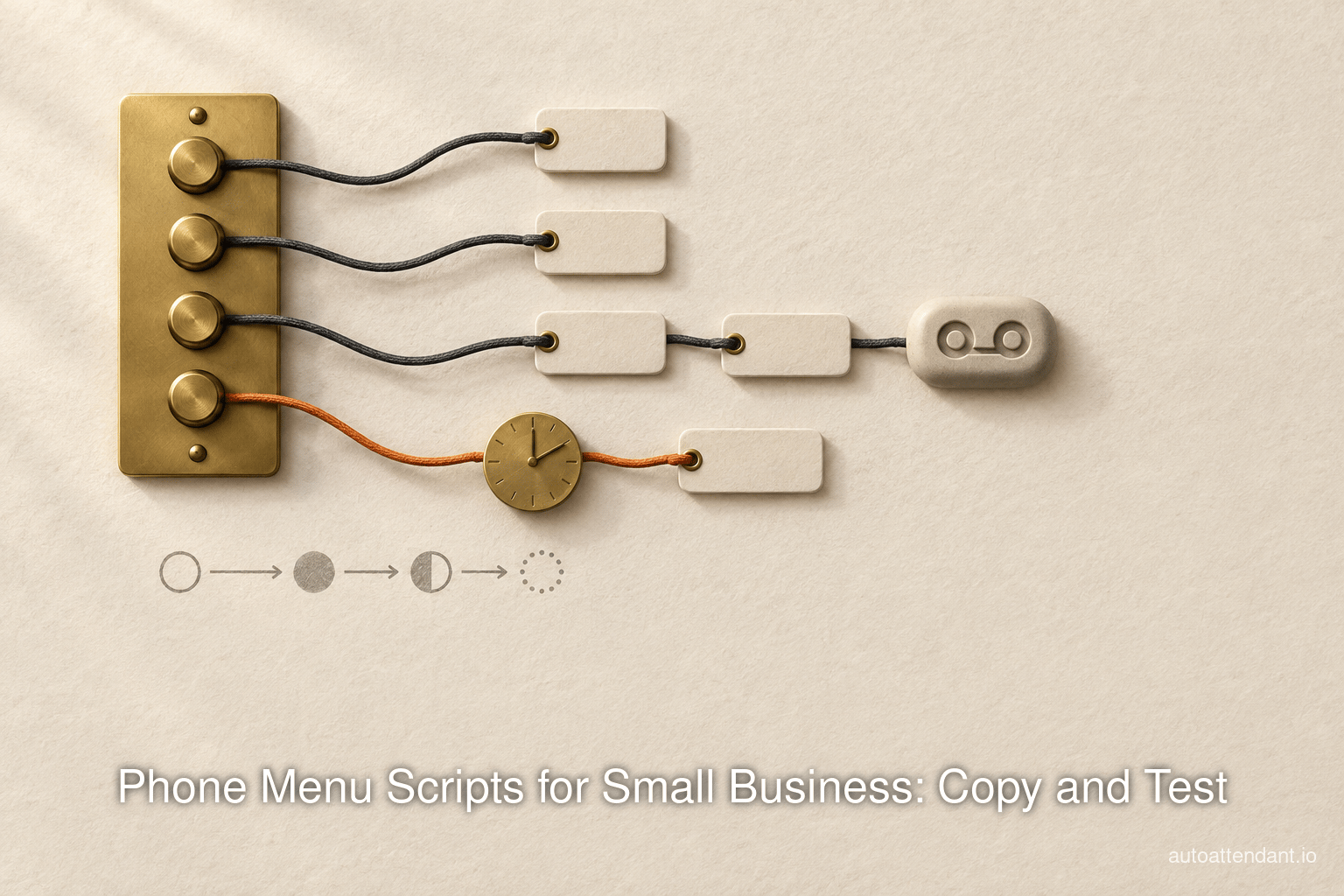
Every audible choice should have a complete route definition: identity, “Thanks for calling [business]”; caller choice, “For [caller goal], press [key]”; hours or state, limited to what changes the decision; fallback, covering timeout, invalid input, busy, and no answer; and promised response, with a window only if the team owns and measures it.
Destination-first wording matters. “For existing appointments, press 2” lets callers understand the choice before holding the digit in memory. W3C explicitly recommends placing the option before the digit [3]. It also recommends pauses between phrases to provide processing time [15].
The fallback is part of the script even when callers never hear it. If no input arrives, replay a shorter prompt once, then route to a person or voicemail. If an invalid key is pressed, say what happened and repeat the choices. Twilio’s official documentation warns that omitting an explicit action can create unintended looping behavior [16]. W3C guidance says persistent errors should lead to simple recovery and human help, not a more complex maze [17].
Change 3: Write one script for each operating state
Business hours, after hours, holidays, and temporary closures are different call states, not footnotes. Current official platform documentation reflects this separation. Zoom supports business, closed, break, and holiday routing states [18]. Microsoft Teams models after-hours and holiday behavior as separately editable call flows [19] [20].
Maintain four records:
- Open: Normal menu, normal recipients, normal fallback.
- Closed: Voicemail, on-call option, or external answering service.
- Holiday: Exact reopening date and the holiday-specific urgent path.
- Temporary: Weather, outage, training, or staff shortage, with an expiry owner.
Avoid stacking a general greeting in front of a second full menu. Zoom warns that one configuration can play an initial greeting and then the interactive menu prompt [21]. Test the caller’s actual experience, not only the text in an administration screen.
- 01Start with call reasons
List the last 20 inbound call reasons, combine synonymous reasons, and assign an accountable owner to each cluster.
- 02Define the route
For every audible choice, specify identity, caller choice, state, fallback, and a response promise the team can own and measure.
- 03Plan recovery
Replay a shorter prompt for silence, explain invalid keys, and send persistent errors toward a person or voicemail.
- 04Test every state
Call every branch, leave destinations unanswered, use a wrong key, stay silent, and verify neutral voicemail delivery.
The fallback is part of the script even when callers never hear it. If no input arrives, replay a shorter prompt once, then route to a person or voicemail.
Script Library by Small-Business Shape
Each item below is a hypothetical template. Bracketed values are fields to replace. The ring interval is deliberately editable because platforms differ and no universal value is supported.
Two-person trade, short version (Hypothetical template)
Business-hours script, 33 words: “Thanks for calling [Trade Name]. For a new job or estimate, press 1. For a job already booked, press 2. For billing, press 3. To leave a general message, stay on the line.”
Routing logic:
- 1, new work: Ring [estimator] for [interval], then [backup], then voicemail.
- 2, booked work: Ring [field lead] and [office mobile] simultaneously for [interval], then voicemail.
- 3, billing: Ring [owner or bookkeeper], then billing voicemail.
- No input: Repeat once in shorter form, then general voicemail.
- After hours: Remove direct billing routing, offer on-call only for defined urgent service.
Caller -> greeting -> 1 new work -> estimator -> backup -> voicemail
                   -> 2 booked job -> two mobiles -> voicemail
                   -> 3 billing -> owner/bookkeeper -> voicemail
                   -> no input -> short replay -> general voicemail
Simultaneous and ordered ringing are different operational choices. Official Google documentation describes simultaneous ringing as calling all group members until one answers [22]. Pick the method that matches ownership, then test the no-answer result.
Clinic (Hypothetical template)
Business-hours script: “Thank you for calling [Clinic]. For appointments, press 1. For prescription or clinical messages, press 2. For billing, press 3. To speak with the team, press 0. If you may have an emergency, hang up and call [jurisdiction-specific emergency number]. Please do not leave detailed medical information in this voicemail.”
Routing logic:
- 1, appointments: Ring scheduling group, then appointment voicemail.
- 2, clinical message: Ring designated clinical team, then approved secure workflow.
- 3, billing: Ring billing owner, then billing voicemail.
- 0, person: Ring front desk, then main fallback.
- After hours: State reopening time, covering-clinician method, and localized emergency direction.
AHRQ recommends an option to speak to a person and a defined plan for unanswered transfers [23]. For United States entities subject to HIPAA, HHS says answering-machine messages should limit disclosed information and suggests using only the provider name, number, and information needed to confirm an appointment [24] [25]. Local legal and clinical review remains necessary.
Property manager (Hypothetical template)
Business-hours script: “Thanks for calling [Property Manager]. For leasing, press 1. For an existing resident service request, press 2. For rent or account questions, press 3. For an urgent building issue, press 4.”
- 1: Leasing coordinator, then inquiry voicemail.
- 2: Maintenance coordinator, then work-order voicemail that asks only for contact and property identifier.
- 3: Account owner, then account voicemail.
- 4: During business hours, duty manager. After hours, on-call rotation.
- Fallback: General mailbox with a named daily owner.
The urgent option must define qualifying conditions, such as active flooding or loss of essential building service, without suggesting that the line replaces public emergency services. “Emergency” alone is too broad.
Small law or accounting office (Hypothetical template)
Business-hours script: “You have reached [Firm]. For a new inquiry, press 1. For an existing matter, press 2. For invoices or payments, press 3. For our office team, press 0.”
- 1: Intake owner, then new-inquiry voicemail.
- 2: Reception or matter coordinator, not a public directory of professionals.
- 3: Billing owner, then billing voicemail.
- 0: Office team, then general voicemail.
- After hours: State office hours and next review period without promising advice or acceptance.
The script should not invite confidential facts before the firm has chosen the appropriate channel. Ask for name, return number, and a neutral reason for calling. Jurisdiction-specific professional review should approve wording about deadlines, representation, or response commitments.
Agency (Hypothetical template)
Business-hours script: “Thanks for calling [Agency]. For a new project, press 1. For work already in progress, press 2. For accounts, press 3. To reach the team, press 0.”
- 1: Growth or owner group, then inquiry voicemail.
- 2: Client-services group, then project mailbox.
- 3: Finance owner, then finance mailbox.
- 0: Rotating human fallback.
- After hours: Send all routine options to owned mailboxes and remove unavailable transfers.
This structure separates acquisition from delivery without forcing callers to know staff names. If project teams change frequently, route by function and maintain the recipient mapping behind the menu.
Multi-location service business (Hypothetical template)
Business-hours script: “Thanks for calling [Company]. For [North location], press 1. For [South location], press 2. For company-wide billing, press 3. For help choosing a location, press 0.”
- 1 and 2: Each location’s local group and local fallback.
- 3: Central billing team.
- 0: Central coordinator.
- Holiday: Location-specific closure state where supported.
- No answer: Never bounce the caller back to the same main menu.
Location-first routing is appropriate only when location determines service. Zoom associates an auto receptionist with a site, demonstrating that location-specific configuration is technically supported in at least one current platform [26]. If callers usually care about the service rather than the site, invert the structure.
Table 1 summarizes the six templates as operating designs rather than standalone prose.
| Business shape | Likely intents | Primary routing | No-answer fallback | After-hours change | Owner |
|---|---|---|---|---|---|
| Two-person trade | New job, booked job, billing | Ordered ring for new work; simultaneous ring for active jobs | Purpose-specific voicemail | On-call only for defined urgent work | Owner |
| Clinic | Appointment, clinical message, billing, person | Scheduling, approved clinical route, billing, front desk | Approved mailbox or secure workflow | Reopening time, covering method, localized emergency statement | Practice manager |
| Property manager | Leasing, resident service, account, urgent building issue | Functional owners plus duty manager | General mailbox with daily review | On-call rotation for defined conditions | Property operations lead |
| Law or accounting office | New inquiry, existing matter, billing, office | Intake, coordinator, billing, office team | Neutral-message voicemail | Hours and next review period | Office manager |
| Agency | New project, active project, accounts, team | Growth, client service, finance, human fallback | Purpose-specific mailbox | Routine voicemail only | Operations lead |
| Multi-location service | Location, central billing, location help | Local groups plus central functions | Different destination, never the same menu | Location-specific closures | Regional manager |
The table’s main lesson is that script quality depends on ownership and fallback, not industry flavor. A polished vertical greeting still fails if every branch reaches the same unmonitored mailbox.
After-Hours, Closure, and Urgent Scripts
Voicemail-only after hours (Hypothetical template)
“Thank you for calling [Business]. We are closed and reopen [day and time, including time zone]. Please leave your name, number, and a brief reason for calling. [Owner or team] reviews messages [review schedule]. For [one available self-service channel], visit [address].”
The response promise must match staffing. If no one checks messages until opening, say so. Google documents that an auto attendant can use an alternate greeting and different handling outside working hours [27].
On-call urgent option (Hypothetical template)
“You have reached [Business] after hours. For [clearly defined urgent business condition], press 1 to reach the on-call team member. For all other matters, press 2 to leave a message for the next business period. If there is immediate danger or a public-safety emergency, hang up and call [local emergency service].”
Route 1 to the published rotation, then to a backup, then to an explicit final instruction. Do not let it fall silently into the routine mailbox. In the United States, 911.gov directs people to dial 911 immediately in an emergency [28]. In the United Kingdom, NHS guidance distinguishes urgent care via 111 from emergencies requiring 999 [29]. Copying the United States number into a global script would be unsafe.
Answering-service overflow (Hypothetical template)
“Thanks for calling [Business]. Our office team is unavailable. Please stay on the line for [answering-service name or ‘our after-hours answering service’], which can take a message and follow our escalation instructions.”
This is different from routing to a staff mobile. The answering service speaks to callers and performs a defined workflow. An auto attendant only selects and transfers a path. If the business needs appointment booking, message qualification, or continuous live handling, the service and its script must be designed as a separate operating process.
Holiday, weather, and shortage scripts (Hypothetical templates)
- Holiday: “We are closed for [holiday] and reopen [date and time]. For [defined urgent condition], press 1. Otherwise, press 2 to leave a message reviewed [when].”
- Weather: “Today, [date], [location] is operating [closed or limited hours] because of weather. For service status, press 1. For a message, press 2.”
- Staff shortage: “Today, [date], response times may be longer. For [priority purpose], press 1. For all other matters, press 2 to leave a message.”
- Temporary outage: “Our normal phone routing is temporarily unavailable. Please leave [minimal fields], or use [tested alternative]. This message will be updated by [time].”
Special states need expiry controls. Webex documentation supports schedules for after hours, holidays, and special closures [30]. Microsoft permits multiple date ranges inside a holiday object, showing why administrators must inspect the schedule rather than assume a single date [31].
Implementation Considerations and Process Changes
Bad script, repaired script
Bad, hypothetical: “Thank you for calling. Our menu options have changed. Listen carefully. Press 1 for sales, 2 for operations, 3 for administration, 4 for accounts, 5 for service, or 6 for all other inquiries.”
Repaired, hypothetical: “Thanks for calling [Business]. For a new quote, press 1. For work already booked, press 2. For billing, press 3. To leave a general message, stay on the line.”
The repair removes an unsupported “changed” announcement, translates departments into caller goals, puts destinations before digits, and defines a no-input destination. W3C guidance also advises excluding advertisements and other extraneous information from a voice menu [32].
Bad after-hours, hypothetical: “We are unavailable. Leave a message or press 1 for emergencies.”
Repaired after-hours, hypothetical: “We reopen [day and time]. For [defined urgent business condition], press 1 for the on-call team member. For other matters, press 2. If immediate police, fire, or ambulance help is required, hang up and call [jurisdiction’s emergency number].”
The repair defines urgency, separates the business route from public emergency service, and supplies the next-open time.
Fill-in worksheet
Complete one line per choice before recording:
- Identity and reasons: [recognized business name]; [reason 1], [reason 2], [reason 3]
- Option 1 route: [destination], [simultaneous or ordered ring], [tested interval], [no-answer destination]
- Option 2 route: [the same four routing fields]
- Option 3 route: [the same four routing fields]
- Input recovery: [short no-input replay], [invalid-key message], [retries], [final destination]
- Schedule: [business days, times, time zone], [after-hours route]
- Special states: [holiday owner], [temporary-message expiry date, time, and owner]
- Message operations: [voicemail recipient and backup], [measured response promise]
- Governance: [emergency-wording jurisdiction], [last-tested date, tester, and scenarios]
One-page call-flow map
INBOUND NUMBER
  -> identify business
  -> choose state: OPEN | CLOSED | HOLIDAY | TEMPORARY
       OPEN
         -> option 1 -> owner -> backup -> voicemail
         -> option 2 -> group -> voicemail
         -> option 3 -> owner -> voicemail
         -> no input -> short replay -> human or voicemail
         -> invalid key -> recovery -> human or voicemail
       CLOSED
         -> routine voicemail
         -> defined urgent route -> on-call -> backup -> final instruction
       HOLIDAY or TEMPORARY
         -> dated message -> available routes -> explicit reopening or update
  -> delivery check: recording, transcript, notification, ownership
Implementation-model context
The script can be implemented in several product categories. Table 2 keeps those categories separate and includes the publishing brand because it directly provides the type of menu discussed.
| Implementation model | Who answers | Routing scope | Documented price or constraint |
|---|---|---|---|
| autoattendant.io | A person on the customer’s own team, on an existing mobile | One business number with simultaneous or ordered ringing to existing mobiles | $29 per month flat for the company, as of September 2026 [33] |
| General cloud phone platform | Customer’s users or groups | Menus, ring groups, schedules, and possibly queues | Limits and licensing are vendor-specific; Google, for example, documents a 30-second no-answer setting for one ring-group workflow [34] |
| Custom programmable voice flow | Customer team or integrated destination | Developer-defined prompts, input, and actions | Timeout and fallback must be explicitly configured; behavior is platform-specific [35] |
| Answering service | External agents | Live message taking and defined workflows | A separate service category, not merely a recorded menu |
The first row fits teams that want routing to their own people without per-seat packaging. The first-party page states that one option can ring several mobiles and that unanswered calls can produce an emailed recording and transcript [36] [37]. A queue, custom application, or answering service remains the better category when the workflow requires waiting callers, integrations, or someone outside the team to conduct the conversation.
Data Analysis and Evidence
Estimating spoken duration
Duration can be estimated as word count divided by words per minute, multiplied by 60. This report uses 150 words per minute as an editable planning assumption. It is near the lower end of the published 140 to 180 words-per-minute range for ordinary conversation, but the research concerned conversation rather than auto-attendant optimization [8]. Pauses, pronunciation, phone audio, and synthesized voices change the actual time.
Table 3 turns that explicit assumption into planning estimates.
| Script length | Calculation at 150 words per minute | Estimated spoken duration | Interpretation |
|---|---|---|---|
| 25 words | 25 / 150 x 60 | 10 seconds | Short identification plus two choices |
| 35 words | 35 / 150 x 60 | 14 seconds | Typical compact three-choice greeting |
| 45 words | 45 / 150 x 60 | 18 seconds | Greeting with a brief fallback instruction |
| 60 words | 60 / 150 x 60 | 24 seconds | Longer after-hours or urgent explanation |
| 90 words | 90 / 150 x 60 | 36 seconds | Review for removable detail or a second state-specific prompt |
These are arithmetic estimates, not pass-fail thresholds. Clear speech can outperform conversational delivery for sentence recognition [38]. Time the actual audio, listen over a phone connection, and test comprehension with representative callers.
How many choices?
There is no current universal answer. AHRQ recommends no more than five choices for clinic automated menus [39]. Older ETSI human-factors guidance suggested a maximum of six choices in one presentation [40]. Neither number proves that every business should use five or six. Peer-reviewed IVR research found that added depth can demand more working-memory resources [41]. The defensible rule is to include the smallest set that covers real caller intents, then test success and recovery.
Five-minute pre-launch test
Table 4 is the minimum matrix. It is introduced here as a fast smoke test, not a replacement for broader accessibility and user testing.
| Test state | Action | Expected result | Evidence to capture |
|---|---|---|---|
| Business hours | Call and press every valid key | Correct owner or group rings; caller does not hear duplicate prompts | Destination, ring order, audio time |
| After hours | Call outside schedule | Closed greeting and only closed-state routes play | Timestamp, greeting, destination |
| Holiday | Set a near-term test schedule | Holiday text overrides the normal state and expires correctly | Start and end times |
| No answer | Let every destination expire | Configured backup or voicemail receives the call | Total elapsed time and endpoint |
| Invalid key | Press an unused digit | Clear error, controlled retry, then safe fallback | Number of retries and endpoint |
| No input | Remain silent | Short replay, then human help or owned voicemail | Timeout behavior and endpoint |
| Voicemail delivery | Leave a neutral test message | Recording and notification reach the named owner and backup | Delivery time and access check |
| Accessibility | Use relay or representative assisted test | Enough response time, intelligible prompt, workable recovery | Tester notes and defects |
The matrix follows mainstream usability-test logic. NIST recommends representative users doing realistic tasks under typical conditions [9]. Digital.gov recommends tasks that do not reveal the intended path [42]. GOV.UK recommends measuring completion, task time, and abandonment, then repeating benchmarks periodically [43] [44].
The finished greeting may be only a few sentences. Its quality comes from the invisible work behind those sentences: a complete route, a named owner, a tested fallback, and a maintenance date.
Frequently Asked Questions (FAQs)
What is a professional phone menu greeting?
It is a short identity statement followed by caller-centered options and an owned fallback. Professional does not mean formal or lengthy. It means accurate, intelligible, and operationally complete.
Should a menu say “listen carefully because our options have changed”?
Only if the change itself affects the caller and the notice has an expiry date. Otherwise the sentence delays every caller and adds no routing value. W3C guidance favors removing unnecessary steps and extraneous material [32].
Should callers be able to press 0?
Provide an easy human-help path when staffing and platform design allow it. W3C recommends easy access to a human [45]. Some systems explicitly support a 0-to-operator overflow path [46]. Do not advertise 0 if it leads to nobody.
How should invalid keypresses and silence work?
Use a short explanation, one controlled replay, and a safe fallback. Webex documentation exposes explicit no-input and invalid-input configuration, confirming these are design states rather than edge cases [47]. Timed systems should warn before expiry and allow more response time where relevant; United States Access Board guidance explains this accessibility need [48] [49].
Can a clinic ask patients to leave medical details?
The safer template requests minimal callback information and routes sensitive communication into an approved workflow. In the United States, HHS says covered entities must reasonably accommodate a patient’s request for confidential communication by an alternative method or location [50]. Local privacy and clinical review should approve the final script.
How often should the menu be maintained?
Test it after every personnel, schedule, or routing change and perform a structured quarterly review. Quarterly is an operational cadence proposed here, not a research benchmark. GOV.UK guidance supports periodic comparison over time and testing under both normal and unusual conditions [51].
Implications and Future Directions
The strongest menu is a small, maintained service map. As teams change, administrators should separate copy ownership from route ownership. One person approves what callers hear, while each route owner confirms recipients, schedules, and fallbacks. Platform delegation can support this model. Microsoft Teams, for example, can permit delegated users to change a business-hours greeting [52].
Accessibility should move from compliance afterthought to acceptance criterion. United States Department of Justice guidance says covered small businesses must accept and treat relay calls like other calls [53]. W3C recommends testing with a wide range of users [54]. These findings imply concrete design work: allow time, provide recovery, preserve a human-help path, and test phone audio rather than judging a script only on screen.
The next useful measurement is not a generic satisfaction percentage. It is the business’s own route-level evidence:
- Completion: Did the caller reach the correct destination?
- Fallback rate: How often did a valid route reach backup or voicemail?
- Abandonment point: Did callers leave during the prompt, ringing, or mailbox?
- Delivery: Did the message reach its named owner and backup?
- Maintenance: Did holiday and temporary states start and expire correctly?
- Accessibility defects: Could representative users understand, respond, and recover?
Future speech interfaces may accept spoken intent, but the same operating questions remain. A recognized phrase still needs an owner, a fallback, a schedule, and a safe error path. A menu should become more conversational only when evidence shows it improves task completion, not because the technology can generate more words.
Conclusion
A small-business phone menu should be written from the route backward. List real call reasons, group them in caller language, assign each route to an owner, and define no-answer behavior before recording a word. Then create separate prompts for open, closed, holiday, and temporary states.
The templates in this report deliberately avoid universal ring times and magic menu sizes. Current systems expose different capabilities, and authoritative guidance treats timeouts and menu structure as design and testing questions. The practical standard is whether representative callers can identify the right choice, enter it in time, reach the correct person or fallback, and recover from silence or error.
Before launch, replace every bracketed field, localize urgent wording, and obtain jurisdiction-specific review for clinic, legal, privacy, and emergency language. Call every branch from outside the organization. Let destinations go unanswered. Press the wrong key. Stay silent. Leave a neutral voicemail and verify delivery. Repeat the same checks after routing, staffing, and schedule changes.
The finished greeting may be only a few sentences. Its quality comes from the invisible work behind those sentences: a complete route, a named owner, a tested fallback, and a maintenance date.
External Sources (54)
About
Auto Attendant
Auto Attendant gives a small business one phone number and a recorded menu that sends each caller to the right person. The call rings the mobile that person already carries, using their normal dialler and their normal mobile plan. Pricing is a single flat monthly fee for the whole company rather than a charge for each user, and there is no app, desk phone or hardware to install.
One number, one menu, the phones you already own
A caller dials the business number, hears a short greeting and chooses an option. Each option can ring one mobile, ring several at once so whoever is free answers first, or try people one after another in a set order. There is no limit on how many people sit on the receiving end, because nobody is billed per seat.
What it deliberately is not
An auto attendant routes a call; it does not answer one. Nobody at Auto Attendant speaks to callers, and no AI stands in for a receptionist. A business that wants its calls handled, messages taken and appointments booked wants an answering service. A business that needs call recording, queues, agent dashboards or CRM integration wants a contact centre platform.
Keeping personal numbers off the internet
The business number is the only number a caller ever sees. Personal mobile numbers are never displayed and never given out, which is what lets an owner put a number on a website, an invoice or a van without handing a personal line to everyone who finds it. An existing advertised number can be ported across and kept, and the old line keeps working while the port is in progress.
Disclaimer
This document is provided for informational purposes only. No representations or warranties are made regarding the accuracy, completeness, or reliability of its contents. Any use of this information is at your own risk. Auto Attendant shall not be liable for any damages arising from the use of this document. This content may include material generated with assistance from artificial intelligence tools, which may contain errors or inaccuracies. Readers should verify critical information independently. All product names, trademarks, and registered trademarks mentioned are property of their respective owners and are used for identification purposes only. Use of these names does not imply endorsement. This document does not constitute professional or legal advice. For specific guidance related to your needs, please consult qualified professionals.